


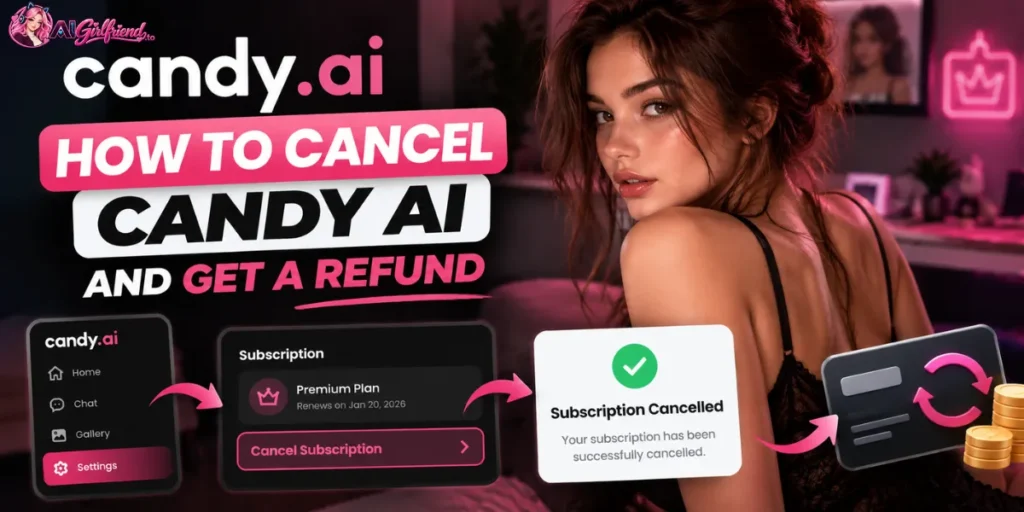
The short version:
To cancel Candy AI, use My Profile, then Settings, then Unsubscribe. That stops the next auto-renew in 2026 and leaves Premium until the paid period ends.
A refund is a separate email to support@candymail.ai, and outside the EU and the UK it has to arrive within 24 hours, on a card, with 20 or fewer tokens used.
How to cancel Candy AI: the Unsubscribe path?
Candy AI is billed by EverAI Limited, and the subscription is managed on the website.
The help centre and section 10.1 of the terms, revised 22 September 2026, describe the same control. There is no pause, and a support chat is not required.

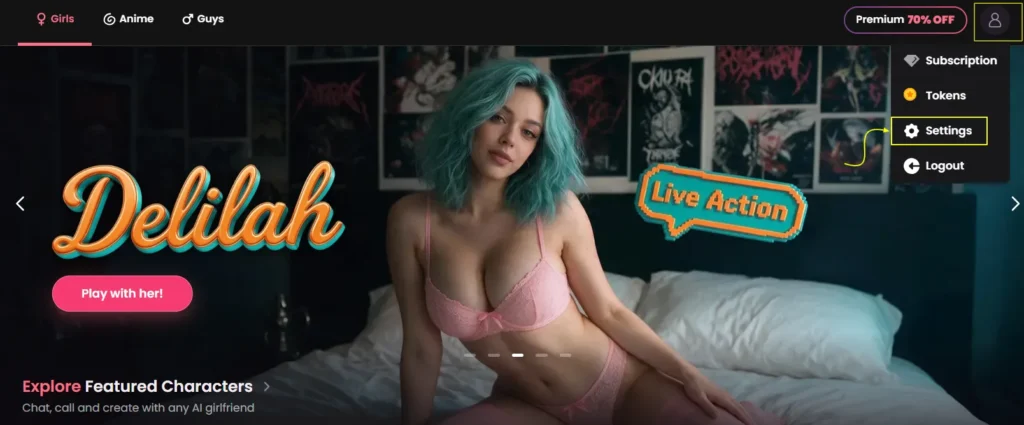
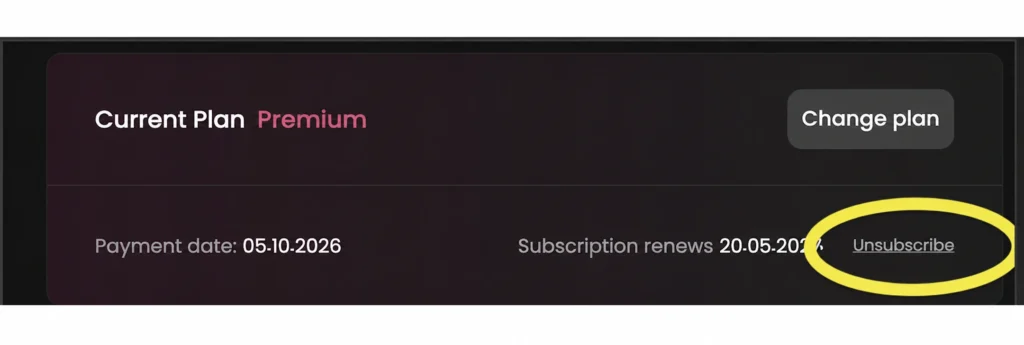
Cancellation is finished only when that confirmation is on screen. Closing the tab on a discount offer, or tapping Delete Account because Unsubscribe is missing, does not stop the next EverAI charge.
If the phone layout hides the button, switch to a desktop browser or email support@candymail.ai with the account email before the renewal date.
If the statement line is EverAI, this website path is the one that matters. Candy's own documents describe the website flow only.
If Apple or Google is the merchant instead, that subscription was billed by the store, and you cancel it in that store's subscription list as well.
Does cancelling Candy AI refund you?
No. Cancelling stops the next renewal and keeps Premium until the end of the current billing period. It does not send money back.
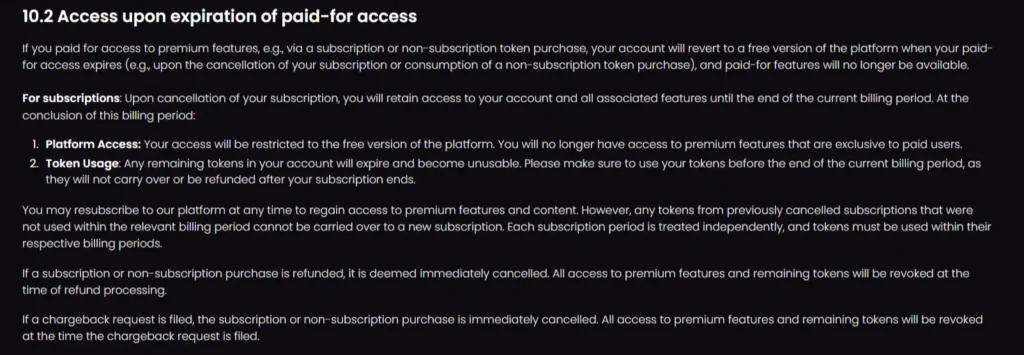
The help article on missing refunds, updated 5 June 2026, says the same thing: a refund has to be requested from support, and support reviews it against the refund rules.
| Action / Status | What Happens |
|---|---|
| Unsubscribe | Next renewal stops. Premium stays until the paid period ends. |
| Refund | Not automatic. Email support, and only some payments qualify. |
| Access after the end date | Account drops to the free version. Paid chat, image, voice and video stop. |
| Tokens at period end | Leftover tokens expire under the terms and do not carry into a new subscription. |
| Chats, images, characters | Stay if you only cancel. They go if you delete the account. |
| Processed refund or chargeback | Premium and remaining tokens are revoked as soon as the refund is processed or the chargeback is filed. |
The free version after expiry is thin. Paid features stop, and a free account may generally send a maximum of five messages to AI characters. That cap is the one in the terms, so treat five as the working limit until the account shows otherwise.
Candy AI refund rules: 24 hours and 20 tokens
A subscription bought by debit or credit card can be refunded only if the request arrives within 24 hours of payment, and only if 20 or fewer tokens have been used.
Using more than 20 tokens refuses the refund even inside that window. Crypto and other non-card payments are not eligible.

A fault on your device or connection is not refunded, and content removed for a policy breach is not refunded either.
| Case | Rule |
|---|---|
| Subscription, debit or credit card | Request within 24 hours. Refused if more than 20 tokens have been used. |
| Token pack | 24 hours, and refused if any of those tokens have been used. |
| Crypto or non-card | Not eligible. Card payments only. |
| Technical fault on your side | Not refunded. |
| Content removed for a policy breach | Not refunded. |
| EU or UK, first purchase only | 14 days from the confirmation email. Renewals excluded. Amount is prorated. |
Email support@candymail.ai, or open a ticket on the EverAI help centre, and include the email on the Premium account, the payment date and the amount.
Say that you are inside the window and that 20 or fewer tokens have been used. The Unsubscribe button does not file this request.
If a refund is approved, access ends immediately. You do not keep Premium until the period runs out, and remaining tokens are revoked when the refund is processed.
A chargeback does the same thing the moment it is filed, so send the screenshot to support first and use the card dispute only if a renewal still posts after a confirmed cancel.
EU and UK: the 14-day withdrawal
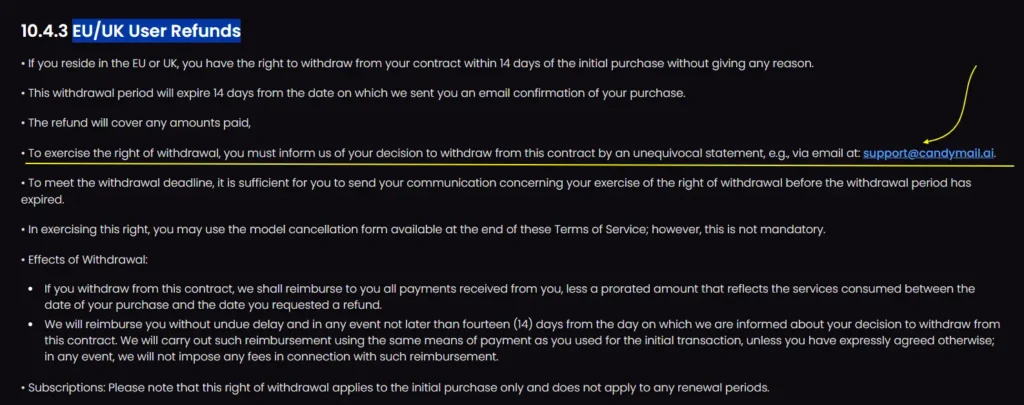
If you live in the EU or the UK, you can withdraw from the initial contract within 14 days of the purchase confirmation email, without giving a reason.
Email support@candymail.ai before that window closes. A model form sits at the end of the terms, and you do not have to use it.
The reimbursement covers what you paid, minus a prorated amount for the service already used, and it goes back on the original payment method within 14 days. This right covers the first purchase only.
A renewal, including the annual plan charging again next year, is outside it. The 24-hour and 20-token rule is the one that applies everywhere else.
What happens to tokens, chats and characters?
Spend the tokens before the paid period ends. Section 10.2 of the terms, revised 22 September 2026, says remaining tokens expire and become unusable at the end of the billing period, and tokens from a cancelled period do not carry into a new subscription. Each period stands on its own.
A help article updated 25 August 2026 is softer. It says cancelling does not delete the token balance, that the balance is hidden on the free tier, and that the tokens can be used again if you resubscribe.
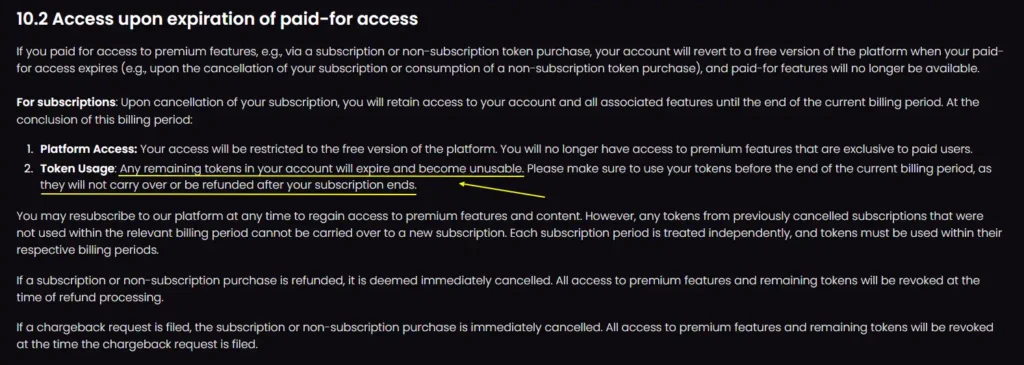
The terms are the later document. Plan as if the tokens die with the period, and you will not lose a balance you were counting on.
Chats, generated images and characters stay as long as the account stays open. Only deleting the account removes them.
A normal Premium month includes 100 tokens. Photos tend to cost a few tokens each, and video costs more, so a heavy image week can clear the balance before you reach Settings.
Confirm the live meter in the account. Plan maths sits on the Candy AI pricing page.
What is the EverAI charge after you cancel?
The statement will not say Candy AI. It says EverAI. The merchant is EverAI Limited, company C107181, 56 Central Business Centre, Triq Is-Soll, Santa Venera SVR 1833, Malta.
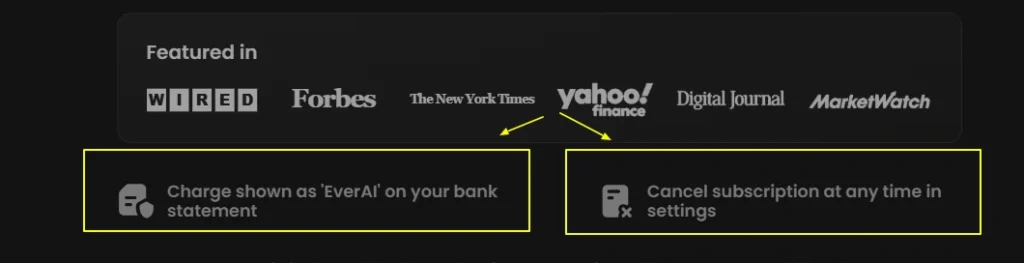
Cancelling in Settings stops future EverAI renewals. It does not erase a charge that has already cleared, and blocking the card does not cancel the subscription.
A failed renewal can be retried against a backup card saved on the account.
The annual plan is prepaid. At $3.99 a month it bills about $47.88 up front, the quarterly cycle is $26.97, and the monthly plan is $13.99.
[VERIFY at candy.ai/subscriptions: some checkouts show a first month at $9.99, then $13.99.]
Cancelling the annual plan stops next year's renewal.
It does not return the unused months, unless you are inside the 24-hour card window or the EU and UK 14-day window on that first charge. The descriptor on its own is covered on the EverAI charge page.
Still charged after you cancelled
FAQ‘s Related to Candy AI Refund Policy
How do I cancel Candy AI?
Log in at candy.ai, open My Profile, then Settings, and click Unsubscribe at the bottom. Finish every confirmation prompt, then screenshot the screen that shows the plan will not renew. Premium lasts until the end date already paid for.
Does Candy AI refund you when you cancel?
No. Unsubscribe only stops the next charge. A refund is a separate email to support@candymail.ai. Most card payments qualify only within 24 hours, and only if 20 or fewer tokens have been used.
What is the Candy AI refund window?
Outside the EU and the UK, the window is 24 hours from payment, by debit or credit card, with 20 or fewer tokens used. Token packs are refused if any of those tokens were used. Crypto is not eligible.
Can I get a Candy AI refund in the EU or UK?
Yes, on the first purchase only. You have 14 days from the confirmation email to email support@candymail.ai. The refund is prorated for time already used, and it does not cover later renewals.
Do Candy AI tokens expire when I cancel?
The terms revised 22 September 2026 say leftover tokens expire at the end of the billing period and do not carry into a new subscription. An August 2026 help article says the balance stays hidden on free. Spend them before the period ends.
Why does my statement say EverAI instead of Candy AI?
EverAI is the billing name for Candy AI. The merchant is EverAI Limited in Malta, company C107181. Cancelling in Settings stops future EverAI renewals. It does not remove a charge that has already cleared.
Can I pause Candy AI instead of cancelling?
No. There is no pause. Cancel in Settings if you want the renewal stopped, and subscribe again later if you come back. Old unused tokens from that period do not return with the new plan.
What if Unsubscribe is missing on my phone?
Use a desktop browser. Some phone layouts show Delete Account and hide Unsubscribe, and deleting the account is not the cancel path. If the button is still missing, email support@candymail.ai with the account email before the renewal date.
🎯 Verdict
You can cancel Candy AI in Settings, under My Profile, and the next EverAI renewal stops once Unsubscribe is confirmed.
You keep Premium until the date you already paid through. A refund is a separate email, inside 24 hours, by card, with no more than 20 tokens used, or inside 14 days of the first purchase if you are in the EU or the UK.
Spend the tokens, keep the screenshot, and do not delete the account unless you want the characters gone too.






 Find my match