



Why Apple Won't Let AI Girlfriend Apps in the App Store
You're going to search “AI girlfriend” in the App Store. Everyone does.
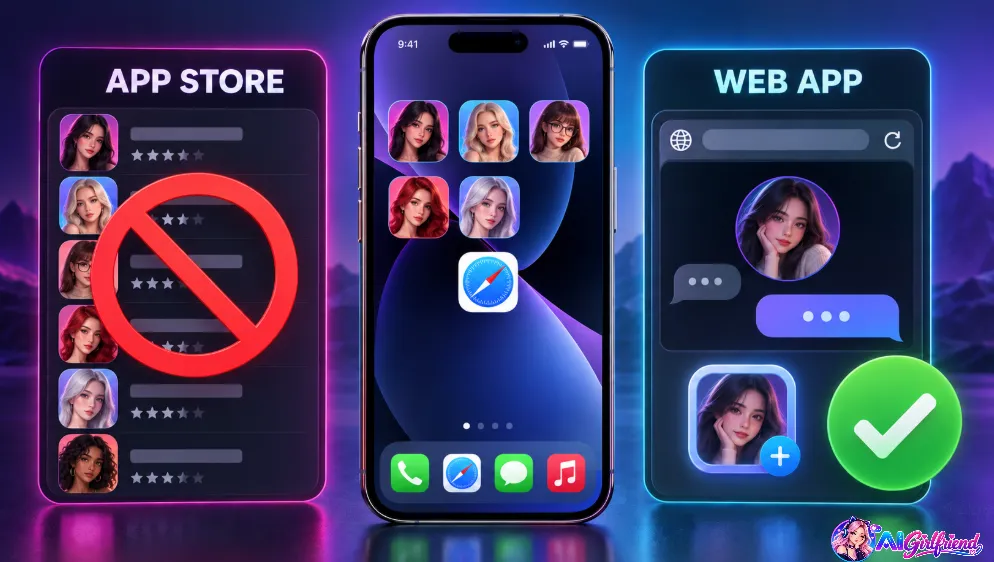
What you'll find is a wall of apps with pink icons, four-star ratings, and a subscription screen before you've typed a word. What you won't find is a single one of the apps on this page.
That's not because they're bad. It's because Apple doesn't allow them. The guidelines are clear about adult content, and every uncensored companion app that's tried to live in the App Store has either been rejected, quietly neutered, or pulled.
SpicyChat found out the hard way — Apple removed it, installed copies stopped working in September 2025, and the app's own team rated the odds of getting back in as “very low.”
Muah AI has a worse problem: apps using its name keep appearing in the store, and they're not Muah's.
So here's the reality, and once you know it, it's actually fine: every good AI girlfriend on iPhone is a web app. And web apps on iOS are better than they used to be.
Add to Home Screen: The 90-Second iPhone Install
This works on every app below. Same steps.
- Step 1: Open Safari. Not Chrome. Not the in-app browser from a link in Telegram. Safari. On iOS, only Safari can add a proper web app with notifications.
- Step 2: Go to the app's site and log in.
- Step 3: Tap the Share button — the square with the arrow, bottom centre.
- Step 4: Scroll down. Tap “Add to Home Screen.”
- Step 5: Name it whatever you like. This is the name that shows on your home screen. Be as discreet as you want.
- Tap Add.
It's now an icon. Tap it and it opens full-screen, no Safari bar, no tabs. It looks and behaves like an app.
For notifications — the bit everyone misses: you need iOS 16.4 or later, and you must launch the app from the home-screen icon, not from Safari. Then, inside the app, allow push. Secrets AI pays you 25 Moments for switching them on.
To remove it: long-press the icon, Remove App, Delete. Same as anything else. No trace in your App Store purchase history, because there was never a purchase there.
The Install Table
| App | Safari install | Push notifications | Full-screen | Feels native? | Watch for |
|---|---|---|---|---|---|
| Candy AI | ✅ | ✅ | ✅ | ✅✅ | Studio better on desktop |
| Secrets AI | ✅ | ✅ (+25 Moments) | ✅ | ✅✅ | Needs iOS 16.4 for push |
| Crushi | ✅ | ✅ | ✅ | ✅ | Don't search “CrushOn” |
| GoLove | ✅ | ✅ | ✅ | ✅ | Blurred free images |
| JOI AI | ✅ | ✅ | ✅ | ✅ | Ignore the “Eva” store app |
| OurDream | ✅ | ✅ | ✅ | ⚠️ | Prompt syntax on glass |
The 6 Best AI Girlfriend Apps for iPhone, Ranked for Thumbs
This isn't our general ranking. It's specifically: how does each one feel installed on a phone, full-screen, thumb-driven?
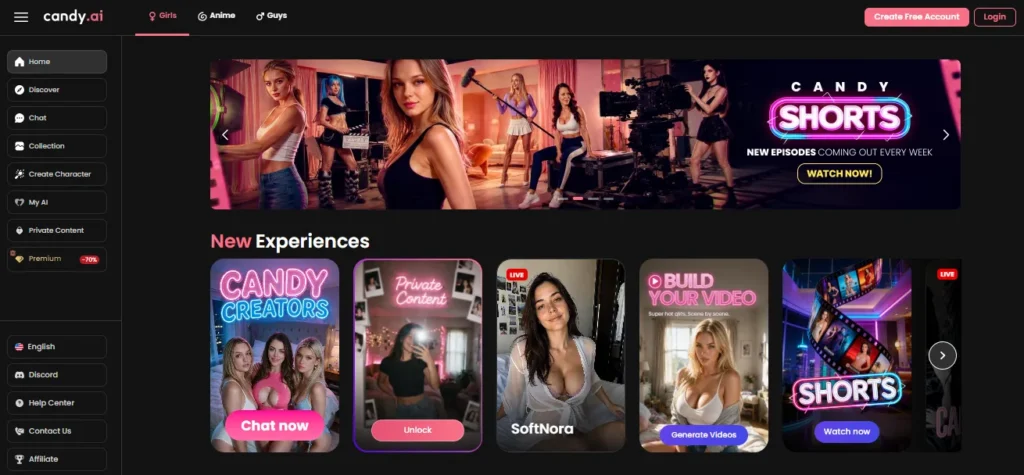
Candy's whole product is phone-shaped. Shorts — vertical one-minute episodes — are a scroll. Roulette is a swipe. The chat is a chat. Even the live cams work full-screen on a phone in a way they don't on a laptop.
The web app installs cleanly, push notifications arrive, and it's the app we'd hand to someone who'd never done this before.
On iPhone specifically: the video studio is the one thing that's better on desktop. Everything else is better on the phone.
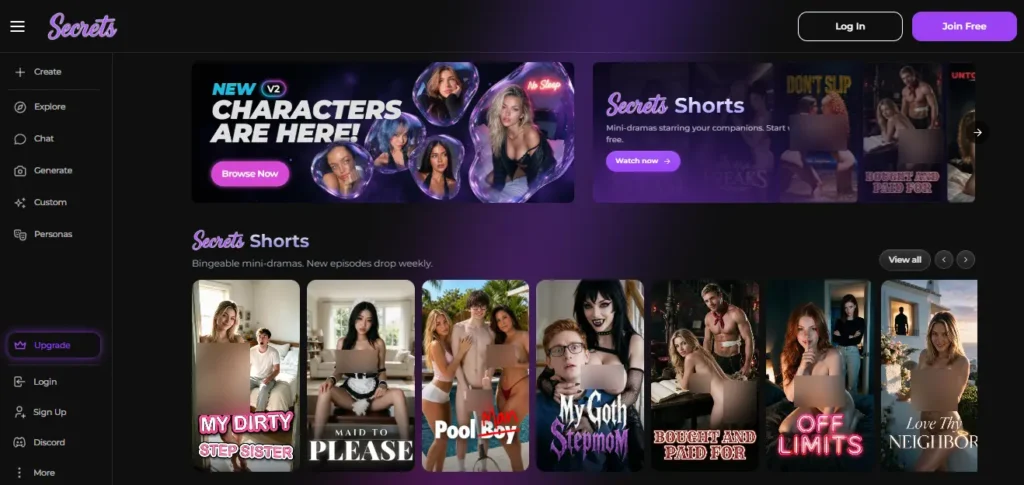
Secrets went all-in on the web app in July. Safari install, full-screen, push notifications, home-screen icon — and they say plainly that the browser route is the official and only way to get it, and that anything in an app store under the name isn't theirs.
The chat is the best in the category. The memory panel and Spice Level controls work fine on a phone. 8,000 Moments a month buys 160 images at 5.7¢ each.
On iPhone specifically: the resizable desktop layout for the Generation Studio collapses into a full-screen gallery sheet on mobile, and it's genuinely well done. Proactive messages need notifications on — do the iOS 16.4 step.

The City with its six districts, the Strip Club, video roulette, the vertical Feed — Crushi is a place you walk around, and walking around is a phone activity.
On iPhone specifically: the Feed and Live Intros are exactly the vertical-video format your thumb already knows. The City map works well in portrait. Episodes play full-screen.
👉 The catch: almost nobody's heard of it, and searching the App Store for “Crushi” will find CrushOn, which is a different and much worse app. Don't.

GoLove is upfront: no app store install. Gmail login, twenty seconds, done. Then add to home screen.
The free tier works — a Star a day, fifteen with ads, twenty daily responses, 350+ characters. New this summer: a live character creator, ten-character scenes, group photos, NSFW 4K video.
On iPhone specifically: it's a clean web app. Free images arrive blurred, which is annoying at any screen size.
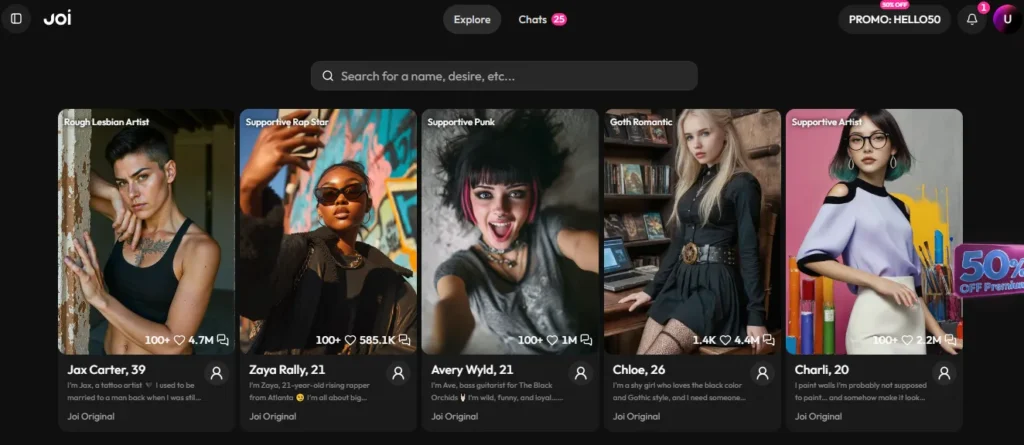
JOI runs primarily through the browser rather than the app stores, and installs to the home screen like the rest.
100+ licensed real performers, Neurons that roll over, batch-of-12 images.
On iPhone specifically: fine. The browse grid with its Celebrity badges works well in portrait. The video call — about $4 a minute — is the feature you'll want a bigger screen for, and it's the one you'll use least.
⚠️ There is an “Eva:chat” app in the App Store that may be from JOI's earlier Eva AI era. We couldn't confirm it's the same operator. Use the web app.


OurDream is the best image generator in the set, with real prompt weighting and negative prompts. It installs fine.
On iPhone specifically: it's a generator, and generators want a keyboard and a big screen. The prompt syntax — (freckles:1.3), underscore tags — is a pain to type on glass. Comic Studio is a desktop activity. Use it on the phone for browsing your gallery; make things on a laptop.
Making a Web App Feel Like a Real App
Because “add to home screen” is the start, not the end.
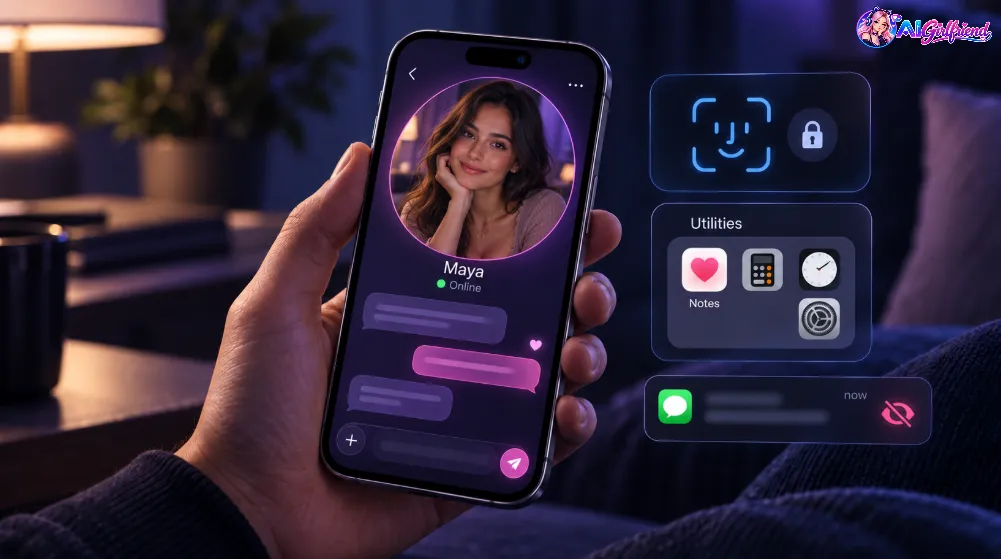
Rename the icon. The install dialog lets you call it anything. “Notes.” “Weather.” Your call. The app doesn't know or care what the icon says.
Put it in a folder. iOS folders hide icons behind a single tile. Long-press, drag onto another app, done. Nobody scrolling your home screen sees it.
Turn off notification previews. Settings → Notifications → find the app → Show Previews → Never. You'll get the buzz. The lock screen won't show what she said.
Use Face ID for the app's own login where offered. Most of these support Safari's saved passwords, which means Face ID unlocks them. Log out when you're done if you share the phone.
Set Safari to open it full-screen every time. It already does, once installed from the home screen. If you ever see a Safari bar, you've opened it from a link instead of the icon — close it and use the icon.
Check the notification permission actually took. Open the app from the icon, go to settings, look for push. If it's greyed out, you're on iOS below 16.4 or you launched from Safari. Both are fixable.
💡 The one that matters most: notification previews. Everything else is convenience. That one's privacy.
Free Tiers on iPhone — What you get before paying
Same limits as anywhere; the phone doesn't change the wall.
| App | Free on iPhone | Then |
|---|---|---|
| GoLove | 1 Star/day, 15 with ads, ~20 responses | PRO ~$12.99 |
| Secrets AI | 20 messages/day, zero images | $9.17/mo annual |
| Candy AI | ~20 messages to the wall | $5.99/mo annual |
| Crushi | 5 dialogs, 30 msgs/day, walk the City free | $8.33/mo annual |
| JOI AI | 6 lifetime images, 100 Neurons for Discord | ~$14/mo |
Best free start on a phone: GoLove. Twenty responses and a Star a day, no card, twenty-second signup. Enough to know whether this is for you.
Apps to Avoid on iPhone
If you want a real App Store app anyway
Fair enough. Some people just don't trust a home-screen icon.
The pattern: everything in the App Store is filtered, because that's the price of being there. If the filter is why you're reading this page, none of them will do, and the web-app route above is the answer.
What we'd actually suggest: try GoLove free from Safari. Ninety seconds to install. If you like the idea, you'll know within a day whether you want to pay someone.
Three things nobody tells you about Web Apps on iOS
FAQ
Is there an AI girlfriend app on the App Store?
Not an uncensored one. Apple's guidelines don't allow them. The good ones all install from Safari as home-screen web apps.
How do I get Candy AI on iPhone?
Open candy.ai in Safari, log in, tap Share, then Add to Home Screen. It launches full-screen like an app.
Why was SpicyChat removed from the App Store?
Guideline violations. Installed copies stopped working in September 2025, and reinstatement was rated unlikely. It's a web app now.
Do AI girlfriend web apps get notifications on iPhone?
Yes, on iOS 16.4 or later — but only when launched from the home-screen icon, not from a Safari tab.
Will an AI girlfriend app show in my App Store history?
No. The subscription is with the company directly, so nothing appears in Apple's purchase history.
Which AI girlfriend app works best on a phone?
Candy AI — Shorts, roulette and cams are all built for vertical, thumb-first use. Secrets AI is the cleanest install.






 Find my match