


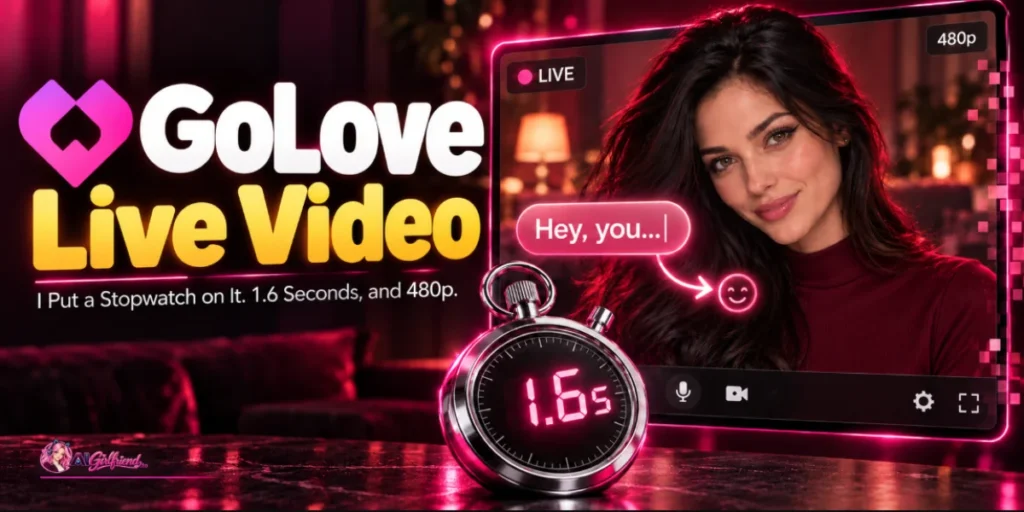
Where to Find GoLove Live: The Camera Icon on Character Profiles?
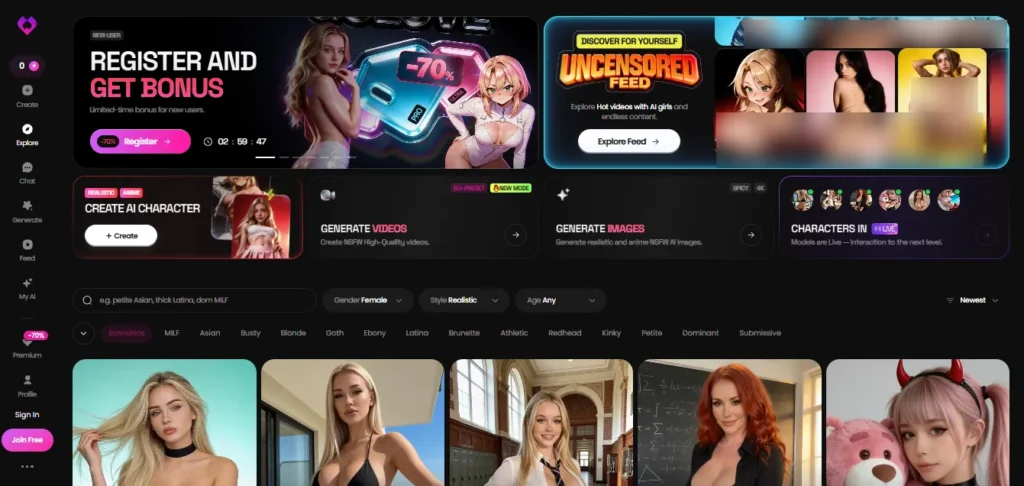
GoLove is a chat app first. Around 350 characters, unlimited free text, no card at signup, uncensored from message one.
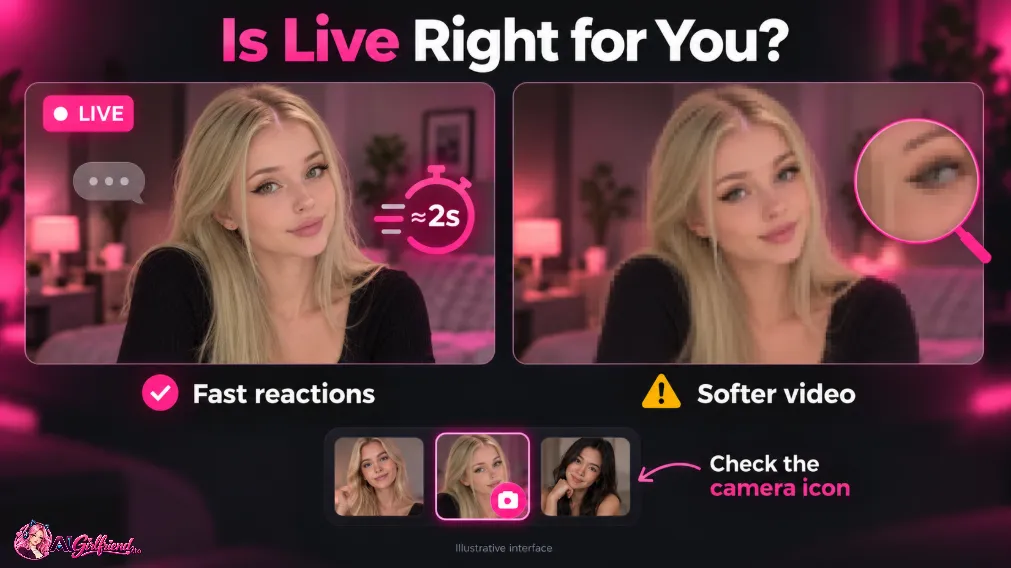
Live is a small camera icon that appears on the profile header of some of them. There's no filter for it and no badge on the grid. You open a character and either the icon is there or it isn't.
I opened profiles until the pattern held. It sat on roughly one in three. Newer characters carried it more often than the ones that have been on the front page since spring, which suggests Live is being rolled forward rather than backfilled.
Tap it and the chat window becomes a video window. She's already there. Blinking, breathing, looking at the lens.
⏱️ The Stopwatch Test: How I Measured GoLove Live's Response Time?
Timing a queued clip is easy. You tap, something renders, it plays, you stop the watch.
A stream is harder, because nothing ever finishes. So the test measures the thing you actually feel:
From the moment I stop typing a line to the first frame where her behaviour visibly changes in response to it.
Head turn, expression shift, the start of a spoken reply, whichever lands first. Screen recorded at 60fps, then stepped through frame by frame, so the number is counted rather than eyeballed.
Ten timed reactions across different characters, tested at different times of day. Same home connection that gives conventional cam sites about 40 ms. Same PRO account throughout.
One rule I set before starting: a requested clip is not a stream, and it doesn't go in the median. Clips are a separate line item and they cost ten Stars.
⏳The Stopwatch Log: 10 Timed GoLove Live Reactions
Run 1, 30 August, 21:14 — the cold start: 2.8 seconds
The slowest of the ten, and the only one that felt like waiting. Camera on, four seconds of her existing in the frame, then I typed a flat greeting.
She took 2.8 seconds. First run of the session on a character I'd never opened.
Every subsequent run inside that same session came back faster, which is the shape of a model warming rather than a network problem.
If you try Live once and bounce, this is the number you'll leave with, and it's the worst one here.
Run, 30 August, 21:22 — the flat line: 1.6 seconds
I typed something deliberately dull. Long day, nothing else.
You've got that voice. The one where you're fine and you're not. Come here and be not-fine at me for a bit.She started moving before the sentence finished playing, and the shoulders dropped with the line rather than after it. 1.6 seconds, and this is the run that made me keep going.
Reframed for the ledger: that's a well-written scripted response fired by a fast model, and it costs nothing extra on PRO.
Run, 31 August, 00:41 — the half-typed line: 1.2 seconds
Fastest of the ten, and the one that explains the whole product.
I typed four words and stopped. Didn't send. She glanced down, then back up, then waited. 1.2 seconds from my last keystroke.
That means the model is being fed the state of the input box, not just the sent message. Which is exactly what a real video call does to you and exactly what nothing else in this category does at all.
Run, 31 August, 00:55 — the interrupt: 1.5 seconds
I typed over the top of her while she was still speaking. She stopped. Not a clean cut, more of a trail off, then a small “go on” tilt of the head.
Interrupting a queued clip does nothing, because the clip is already made. Interrupting this one worked, at 1.5 seconds.
Run, 1 September, 22:03 — the awkward request: 1.9 seconds
The tell that separates a stream from a render. I asked her to hold up three fingers.
She held up a hand. Wrong number of fingers, roughly the right idea, and then she laughed at herself about it. 1.9 seconds to the attempt.
A queued renderer would have handed me a smooth, confident, wrong clip forty seconds later. This got it wrong live, in front of me. Both are failures. Only one of them is company.
Run, 1 September, 22:10 — the silence: no loop in 90 seconds
Not a latency run. A drift check.
I said nothing for ninety seconds and watched. She looked away, looked back, adjusted her hair once, shifted weight, checked something off-frame. Nothing repeated on a countable cycle inside that window.
Compare Candy's house cam rooms, which loop at about fourteen seconds and cannot be unnoticed once you've noticed. GoLove doesn't loop because there's nothing pre-recorded to loop.
Run, 2 September, 19:30 — the early evening: 1.4 and 1.7 seconds
Two runs back to back at a busier hour, on two different characters. 1.4 and 1.7. No queue, no spinner, no “generating” state at any point.
Run, 2 September, 23:48 — peak hour: 2.2 seconds
The second-slowest. Still under three seconds, which for a generated video stream at midnight is the most impressive number on the page.
Run 9 and 10, 3 September — the last two: 1.3 and 1.6 seconds
Fresh session, fresh characters, no warm-up effect on the second one because I'd already been streaming for ten minutes.
The ten runs, together
| Run | When | What I did | Seconds |
|---|---|---|---|
| 1 | 30 Aug 21:14 | Cold start, flat greeting | 2.8 |
| 2 | 30 Aug 21:22 | Flat statement, no prompt | 1.6 |
| 3 | 31 Aug 00:41 | Half-typed line, not sent | 1.2 |
| 4 | 31 Aug 00:55 | Interrupted her mid-line | 1.5 |
| 5 | 1 Sep 22:03 | Awkward physical request | 1.9 |
| Silence Check | 1 Sep 22:10 | 90 seconds of silence | drift, no loop |
| 6 | 2 Sep 19:30 | Evening, character A | 1.4 |
| 7 | 2 Sep 19:30 | Evening, character B | 1.7 |
| 8 | 2 Sep 23:48 | Peak hour | 2.2 |
| 9 | 3 Sep 20:11 | Fresh session | 1.3 |
| 10 | 3 Sep 20:26 | Ten minutes in | 1.6 |
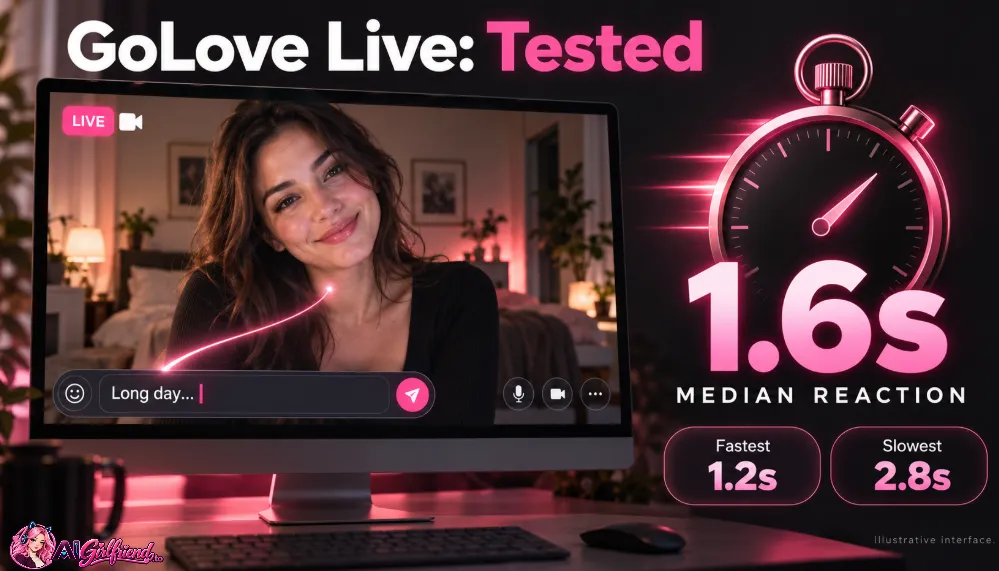
Median 1.6 seconds. Fastest 1.2. Slowest 2.8. For scale, the queued rooms I timed the same way came back at 7.4 seconds on Candy Cams, 9.8 on FlirtCam and 38 on Lovescape.
Full timings on the AI cam girls page.
GoLove Live Video Resolution: 960×540 and How It Looks in Motion
Read off the video element, not off a spec sheet. 960×540.
In a still frame that's fine. Nothing about a paused frame screams low resolution.
In motion it reads as 480p, and here's why: the stream is being generated per frame under a hard time budget, so the compression goes exactly where compression hurts most. Edges smear. Hair turns into a soft mass when she moves her head. The mouth is the worst of it, because that's where you're looking.
It's the picture quality of a video call on bad hotel wifi. Which, oddly, is a fiction the brain accepts easily. Nobody has ever been on a good-looking video call.
❌ What it is not: sharp. If you came from OurDream‘s five-cent images or a Candy Live Action clip, the drop is immediate and it's severe.
Is GoLove Live Video Really 4K?
There was a period when a 4K figure circulated with GoLove Live attached to it. It isn't attached to GoLove any more.
So here's the measured number instead of the marketing one: 960×540 on the element, reading as 480p in motion, on a PRO account, on 3 September 2026.
If you find a page still carrying the 4K line, it's out of date, and the gap between the two figures is roughly a factor of sixteen in pixel count. That's not a rounding difference. That's a different product.
GoLove Live Pricing: PRO Subscription, Stars and Video Clips
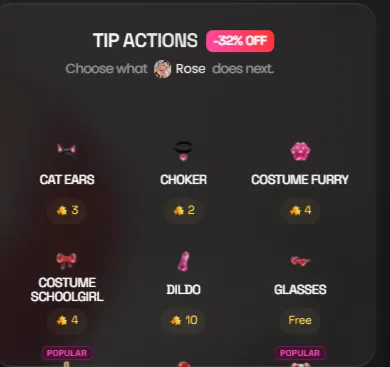
💡 The cost translation. Across ten runs and roughly forty minutes of streaming, the stream itself never moved my Star balance. Not once.
The only Stars I spent were on requested clips, at ten a go, so about $1.50 each at top-up rate.
Whether the free streaming is a beta grace period or the actual model, GoLove doesn't say, so budget as though it might change.
The catch: your monthly Star grant is either ten or a hundred depending on which month you signed up in, and I've seen both.
Check the number on your own account before you plan around it, because at ten Stars a clip those two accounts are wildly different products.
GoLove Live vs. Other AI Video Chat Platforms
| App | What “live” means | Latency, median | Resolution | Cheapest month |
|---|---|---|---|---|
| Candy AI Cams | Continuous loop, tipped actions queue | 7.4 s | 1280×720 | $3.99 annual |
| GoLove Live | Real-time reactive stream | 1.6 s | 960×540, reads 480p | ~$4.15 annual |
| FlirtCam | A short clip per reply | 9.8 s | 720×1280 portrait | $5.99 annual |
| Lovescape Live Cam | Rendered clip per paid action | 38 s | 1280×720 | $7.99 annual |
| JOI AI video call | AI companion video call | live | Not publicly specified | ~$13.99 base, ~$4/min |
| OhChat | Voice notes only, video calls not live | n/a | n/a | $9.99 per character |
The catch across the table: every row above buys you one of speed or sharpness, and none of them sells both. GoLove is the only one that picked speed, and it picked it hard.
Who Should Use GoLove Live Video (and Who Should Skip It)?
Frequently Asked Questions About GoLove Live Video
Is GoLove Live video real time?
Yes, and it's the only one in the category that is. Median 1.6 seconds from a typed line to a visible reaction across ten timed runs in 2026, against 7 to 38 seconds for the queued rooms.
Is GoLove Live 4K?
No. It measures 960×540 on the video element and reads as 480p in motion. The 4K figure that used to circulate is no longer attached to GoLove.
How much does GoLove Live cost?
It sits on PRO: $12.99 a month rolling, or about $4.15 a month on the annual. Streaming didn't draw down Stars in my testing. A requested video clip costs 10 Stars, about $1.50.
Do all GoLove characters have Live video?
No. Roughly a third carry the camera icon on the profile header. There's no filter for it, so you find out by opening the character.
Is GoLove Live free?
No. GoLove's free tier gives you unlimited uncensored text with no card, which is excellent, but the camera icon needs PRO.
Why does GoLove Live look blurry?
Every frame is generated under a hard time budget, so detail loses to speed. Edges and hair smear in motion. It's the same trade that makes it fast.
Can GoLove Live see me?
Nothing in my testing asked for camera permission, and the stream reacts to typed input rather than to a video feed.
Is anyone real on GoLove Live?
No. It's a generated fictional adult character. There is no performer, no licensed likeness and nobody working a shift.

Final Verdict: Is GoLove Live Video Worth It?
GoLove Live is the only thing in this category that has earned the word live, and it bought that with pixels.
1.6 seconds is not an incremental win over 7.4 seconds. It's a different feeling entirely, the difference between something answering you and something responding to you. Then she moves her head and turns briefly into a watercolour.
Four fifteen a month on the annual. Try it for one evening, decide which half of that trade you care about, and go from there.



 Find my match